To downgrade your plan, you can follow these steps:
Login to Your Account: Visit employer.apna.co and log in to your account.
Go to Plan & Usage: Navigate to the “Plan & Usage” section from your dashboard.
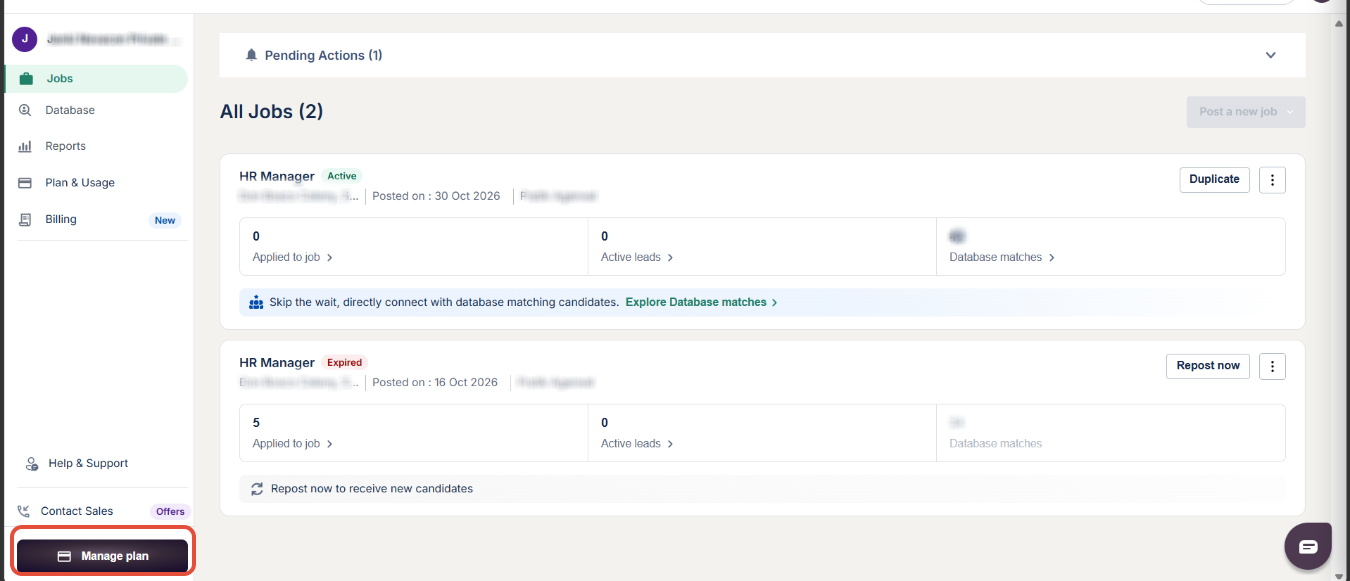
3. Select Change Plan: Click on “Upgrade Plan” and choose the plan you want to downgrade to.
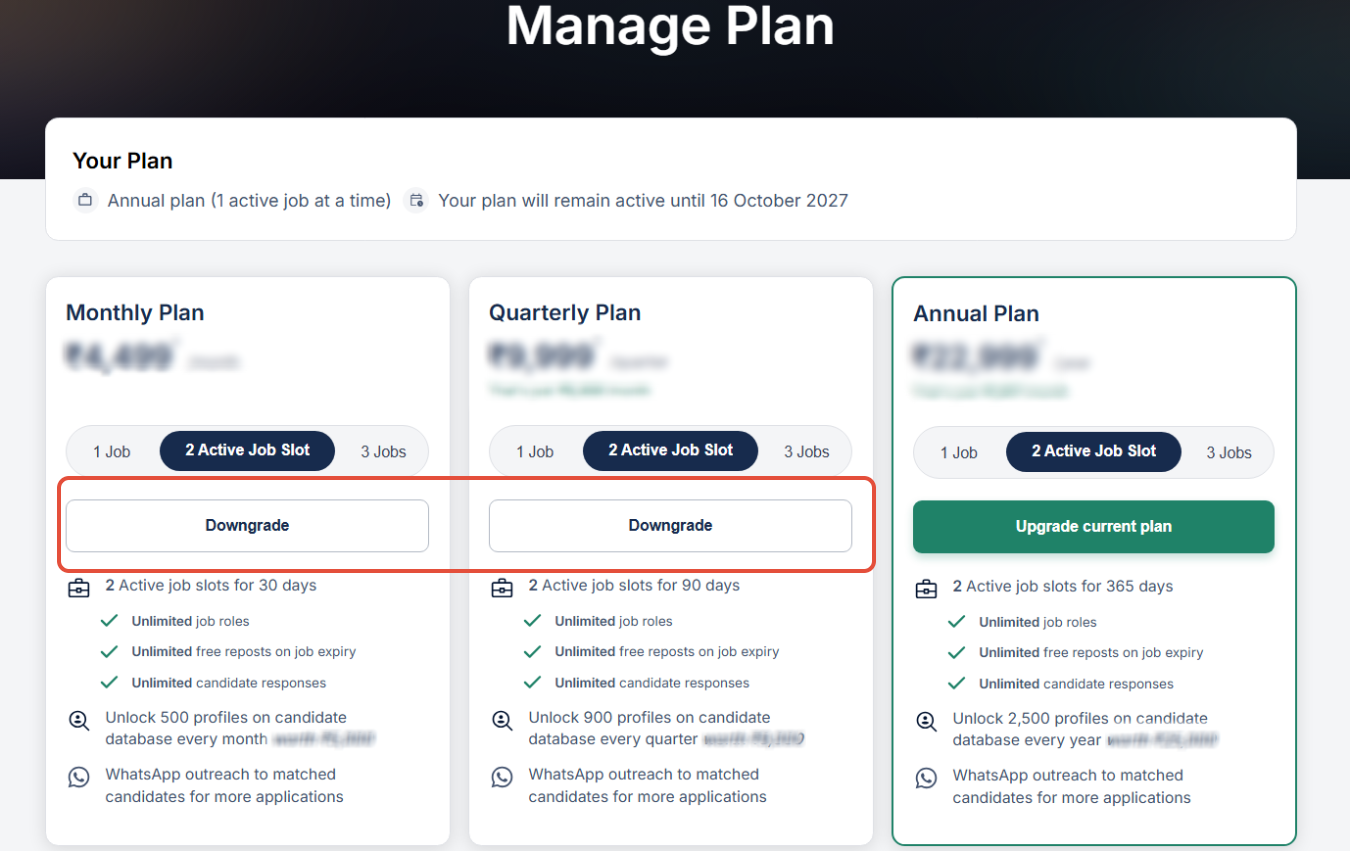
4. Provide Downgrade Reason: A pop-up will appear. Select the reason for downgrading and click on “Downgrade Plan”.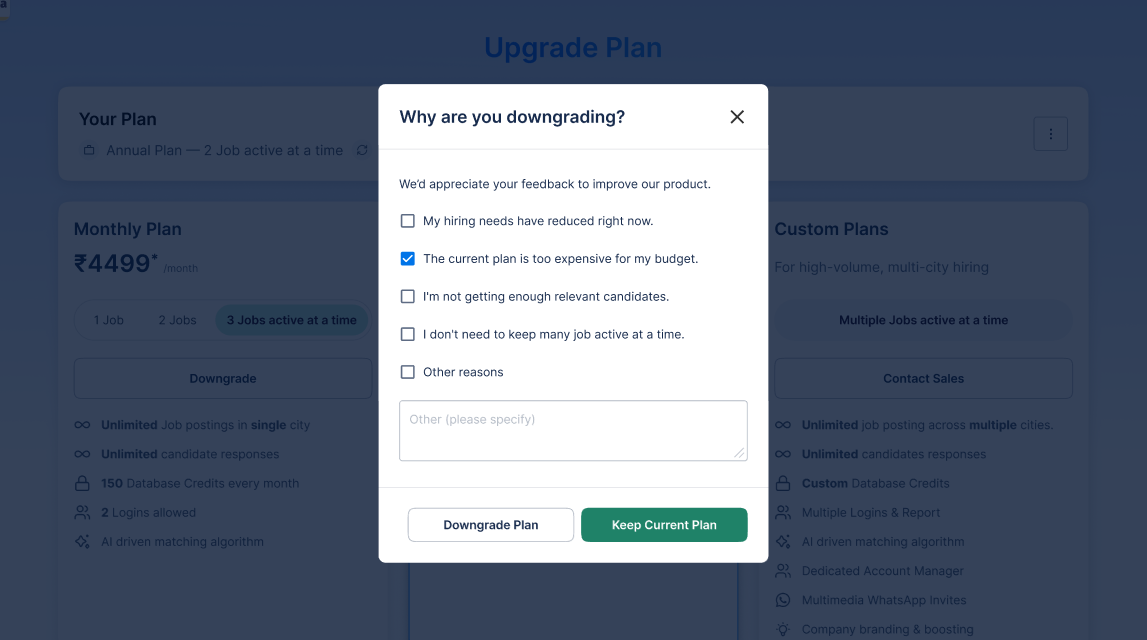
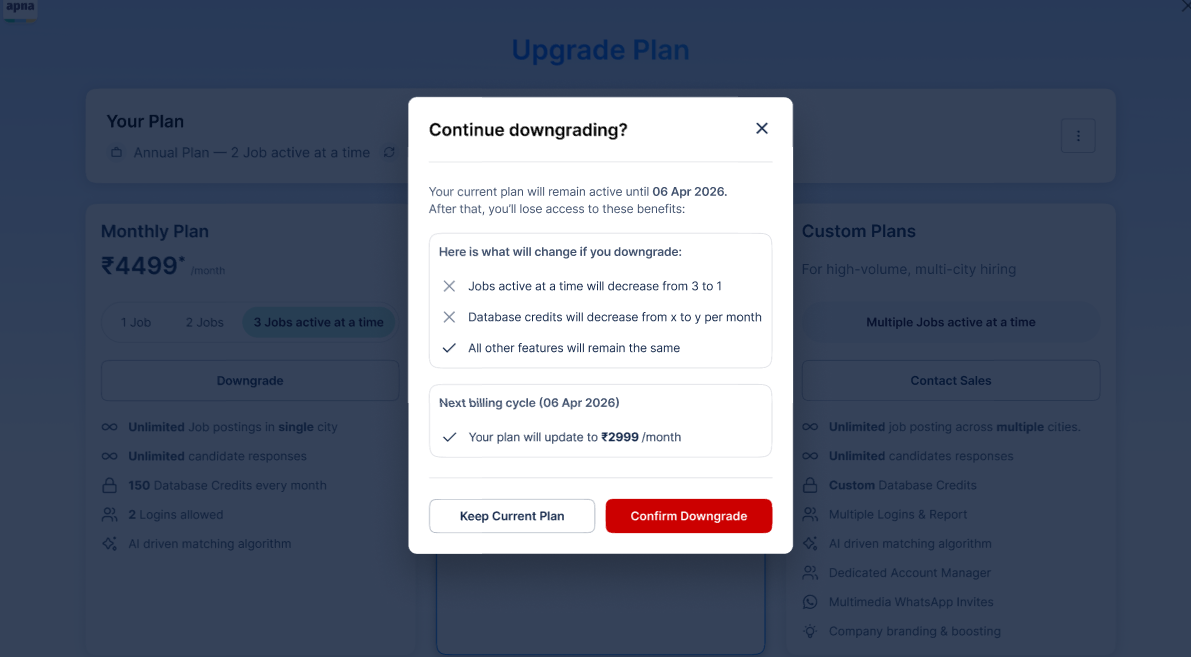
5. Confirm Downgrade: Click on “Confirm Downgrade” to proceed.
Important Information
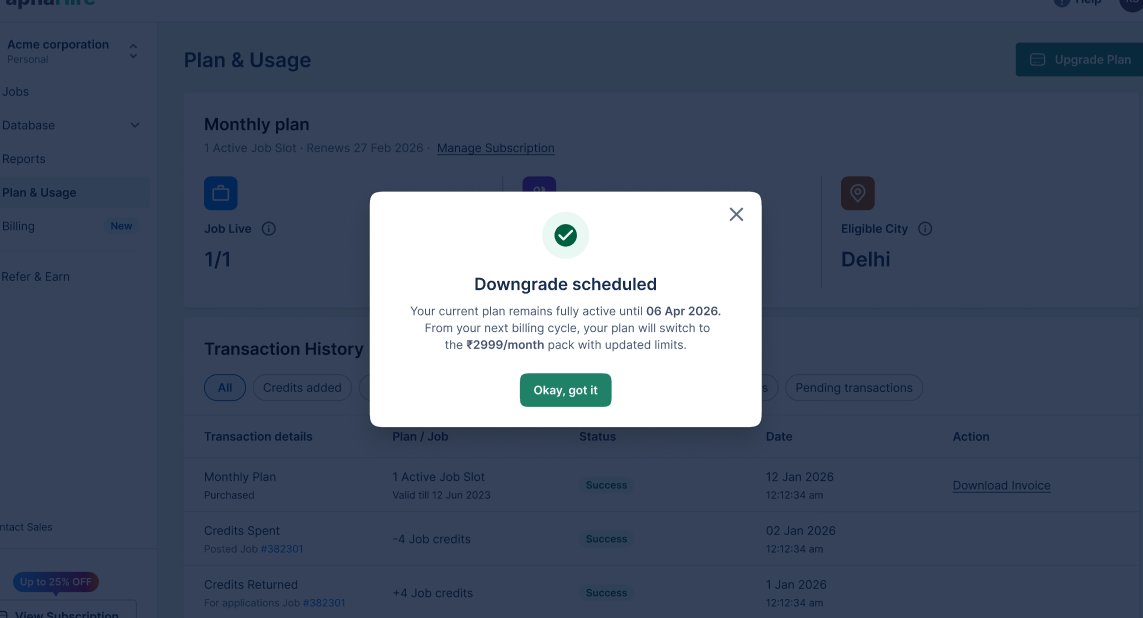
Your current plan will remain active until the end of its billing cycle.
The downgraded plan will be applied from the next billing cycle.
Example:
If you are currently on a Monthly 3 active jobs plan and choose to downgrade to a Monthly 1 active job plan, you can continue using the 3-job plan until your current plan expires. After that, your account will automatically switch to the 1 active job plan in the next billing cycle.
Was this article helpful?
That’s Great!
Thank you for your feedback
Sorry! We couldn't be helpful
Thank you for your feedback
Feedback sent
We appreciate your effort and will try to fix the article