Follow these simple steps to cancel your apna unlimited plan:
1. Login to Your Account: Visit employer.apna.co and log in to your account.
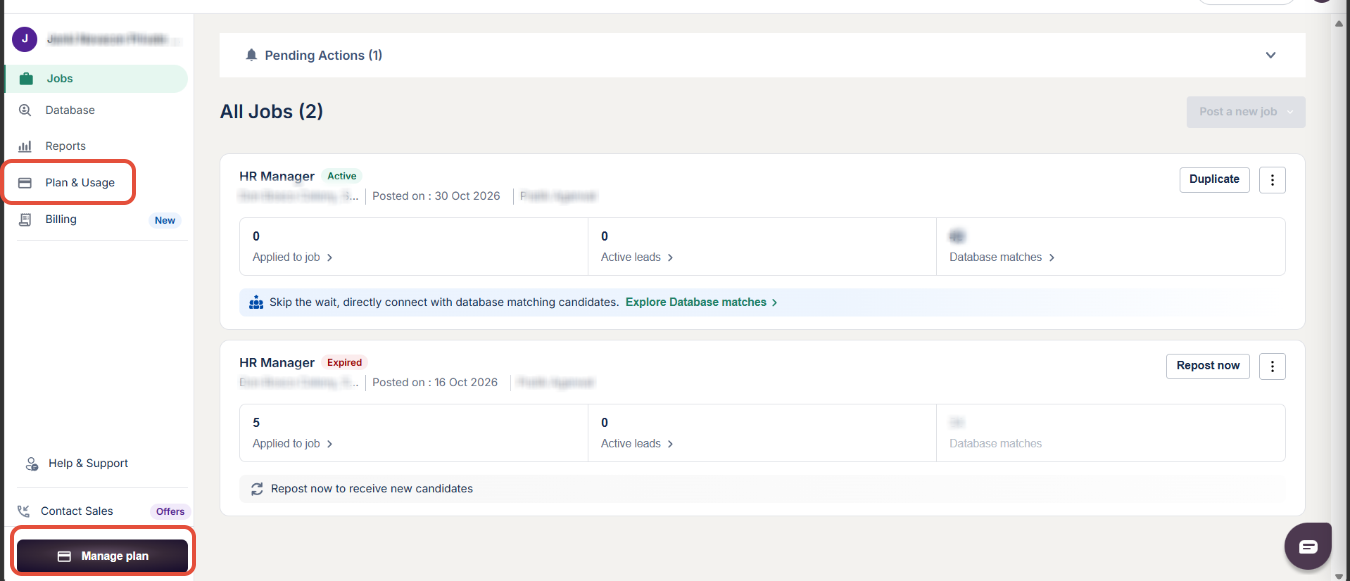
2. Navigate to Plans and Usage: Go to the "Plans and Usage" section in your account.
3. Click on the 3 Dots: On the right side of the plan details, click the three dots menu.
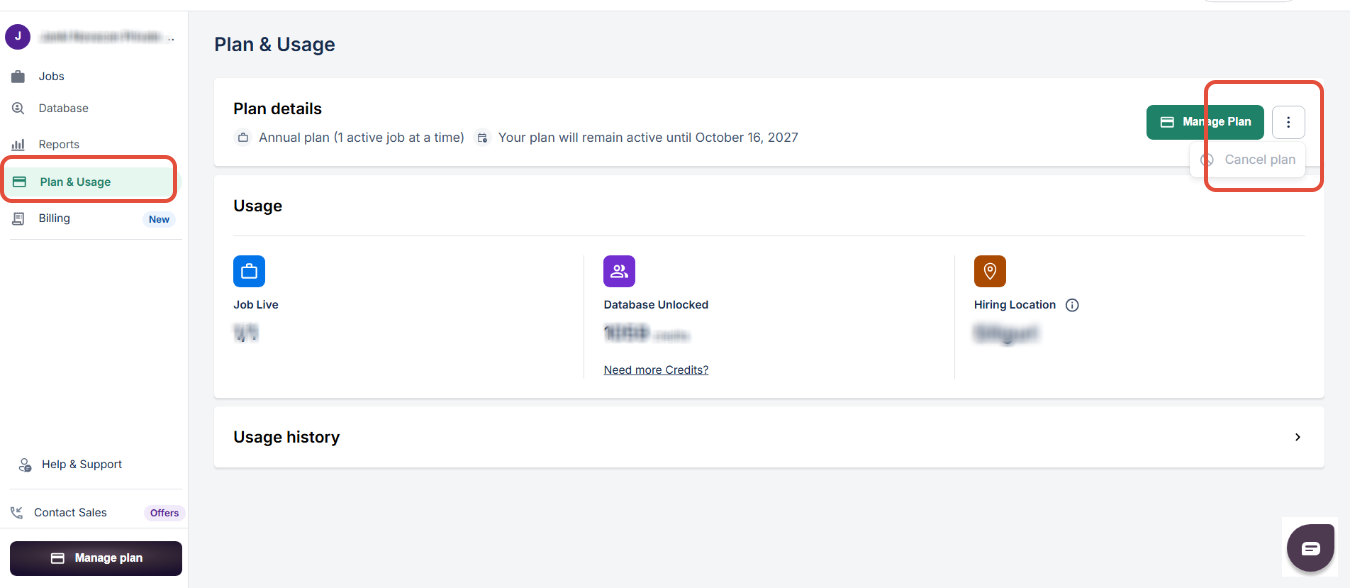
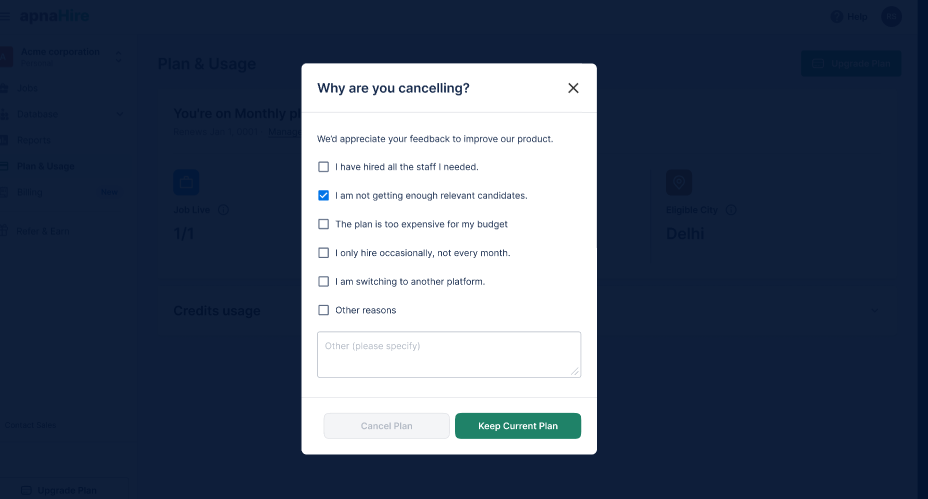
4. Cancel Plan: Select the option to Cancel Plan. You will be prompted to choose the reason for cancellation.
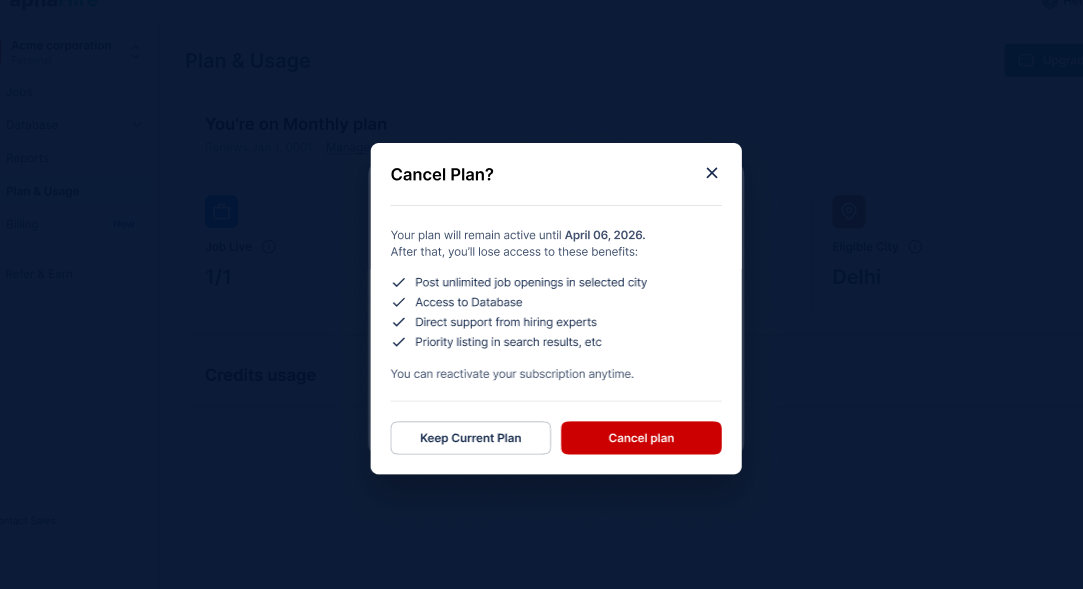
5. Confirm Cancellation: A pop-up will appear asking if you still want to keep your current plan or proceed with cancellation. Click on Cancel Plan to confirm.
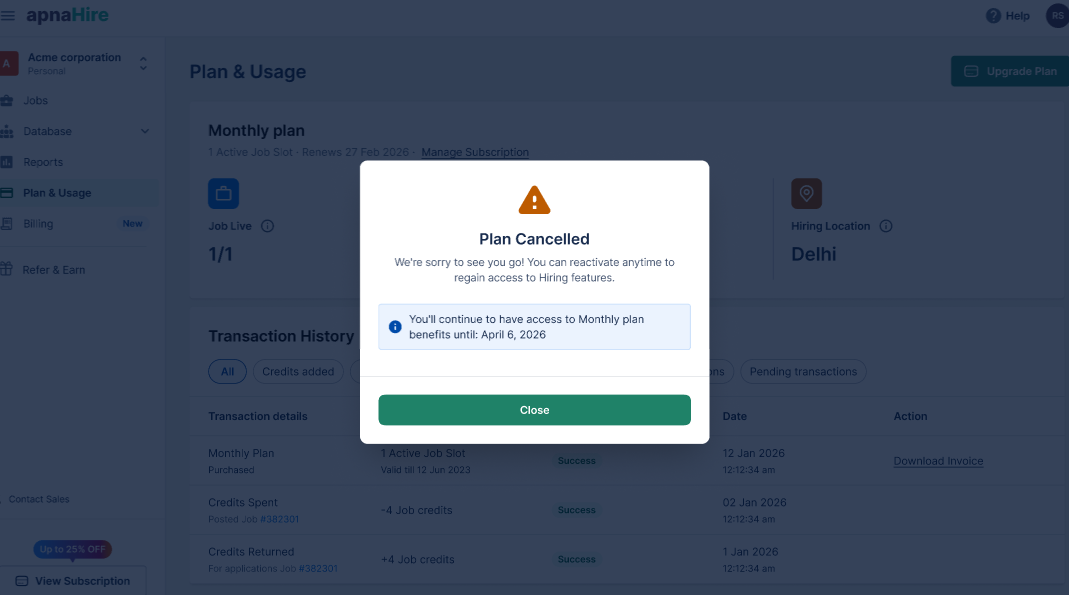
6. Confirmation: Once the plan is canceled, you will receive a confirmation message, and the auto-renewal will be turned off. Your plan will remain active until its expiry date.
If you decide to renew your plan in the future, you can easily purchase the plan again.
Was this article helpful?
That’s Great!
Thank you for your feedback
Sorry! We couldn't be helpful
Thank you for your feedback
Feedback sent
We appreciate your effort and will try to fix the article