To post the job, you have to follow the basic simple steps:
1. Log in to Your Account: Go to employer.apna.co and log in to your account.
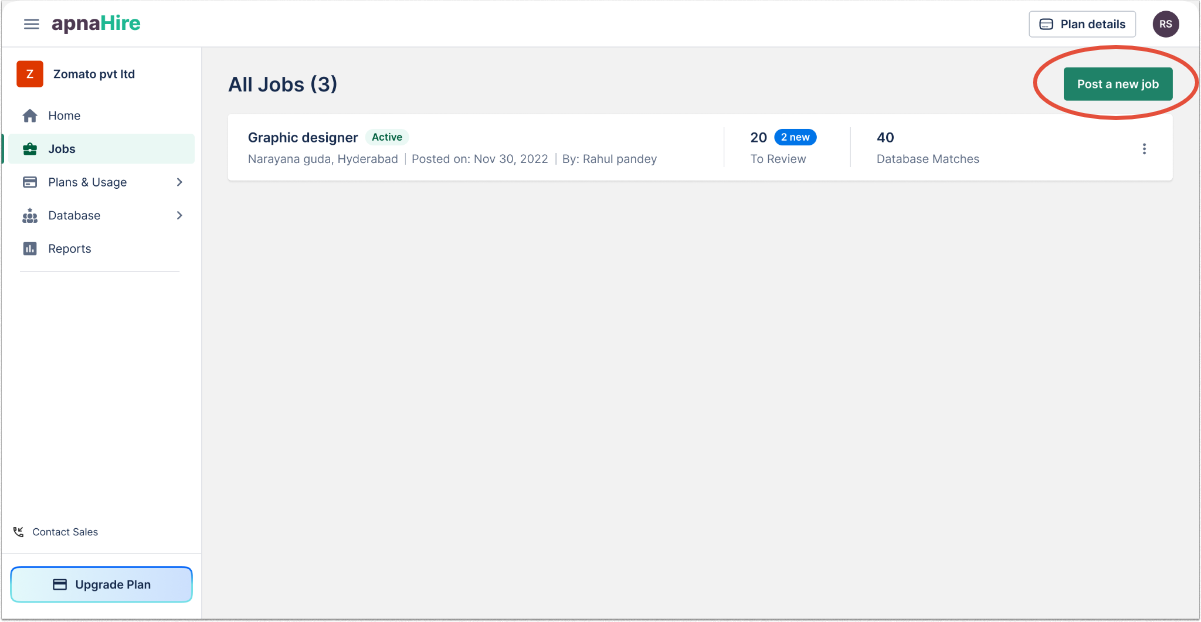
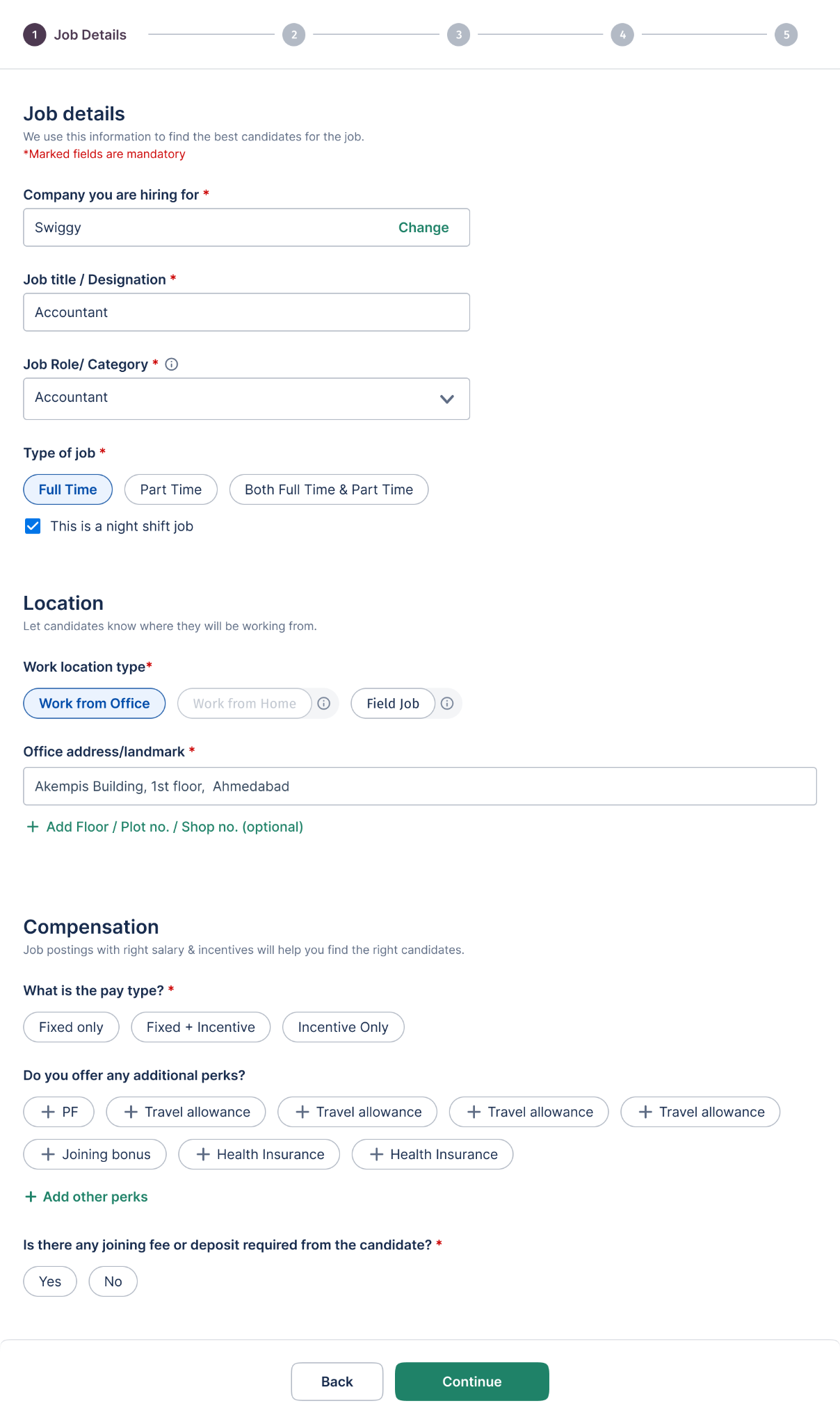
2. Post a Job: Click on the "Post a Job" button and enter the job details as required.
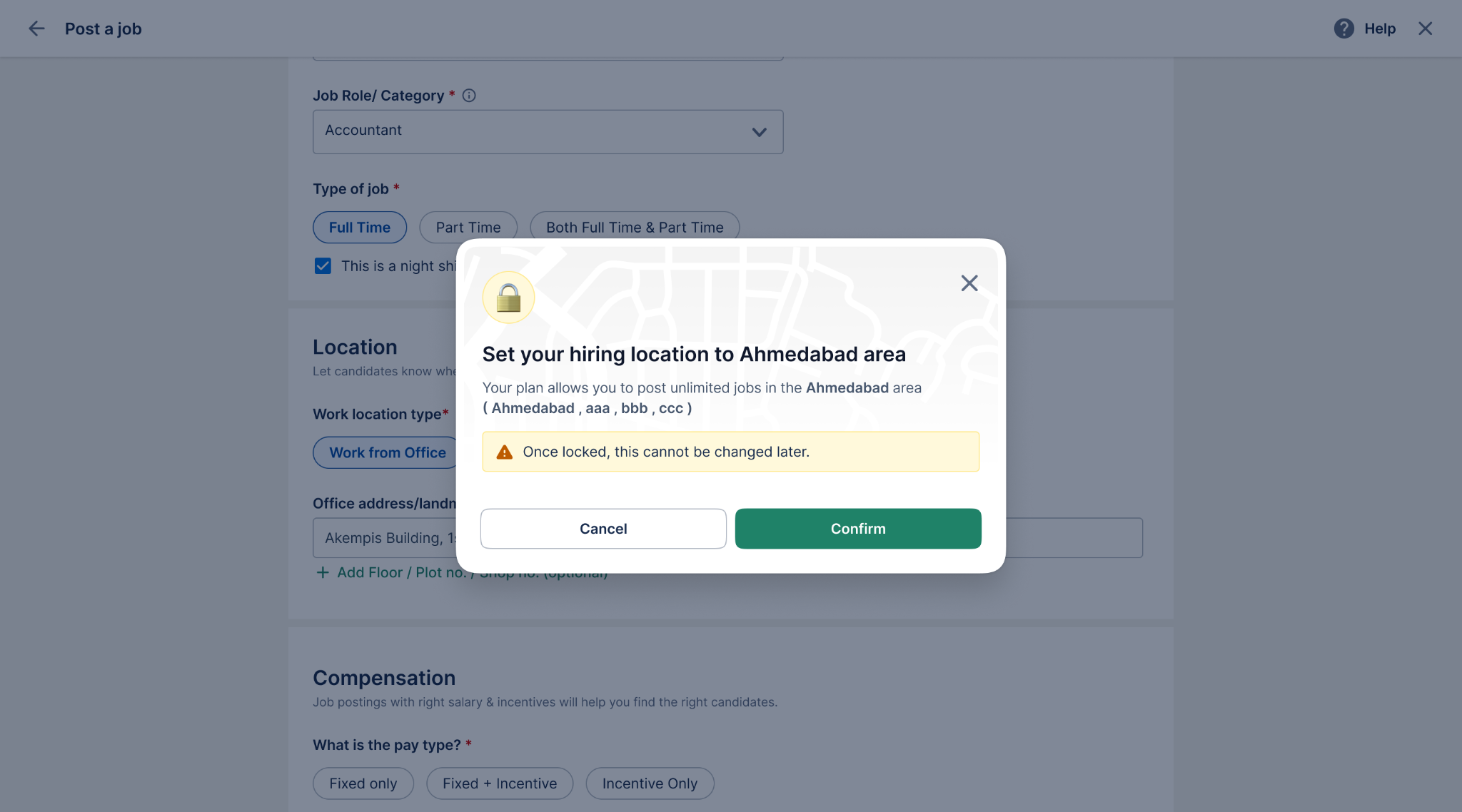
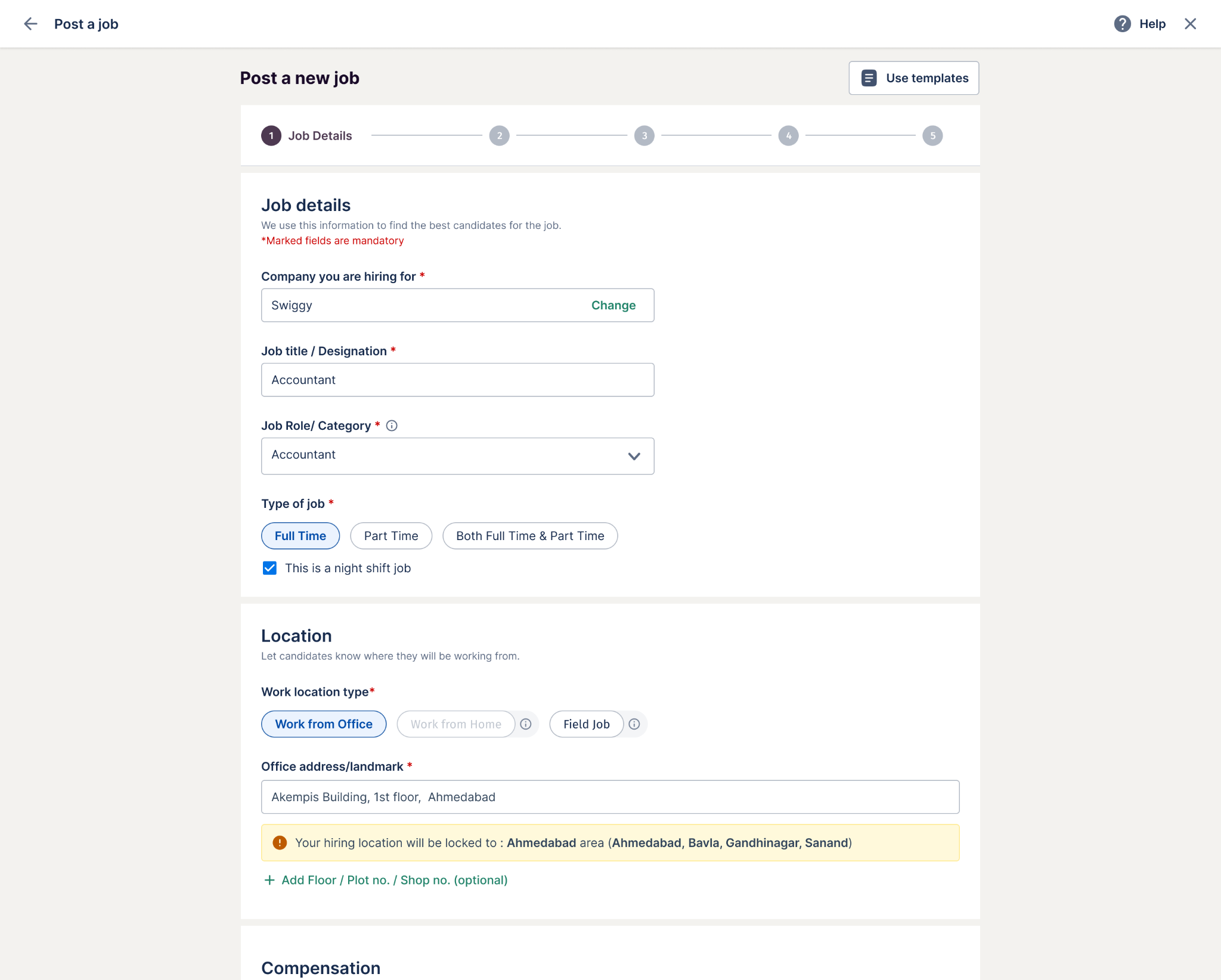
3. Set the Location (Important Step): While entering the job location, a city-lock prompt will appear after you add the job address. Once selected, the city will remain fixed for the entire duration of your subscription plan.
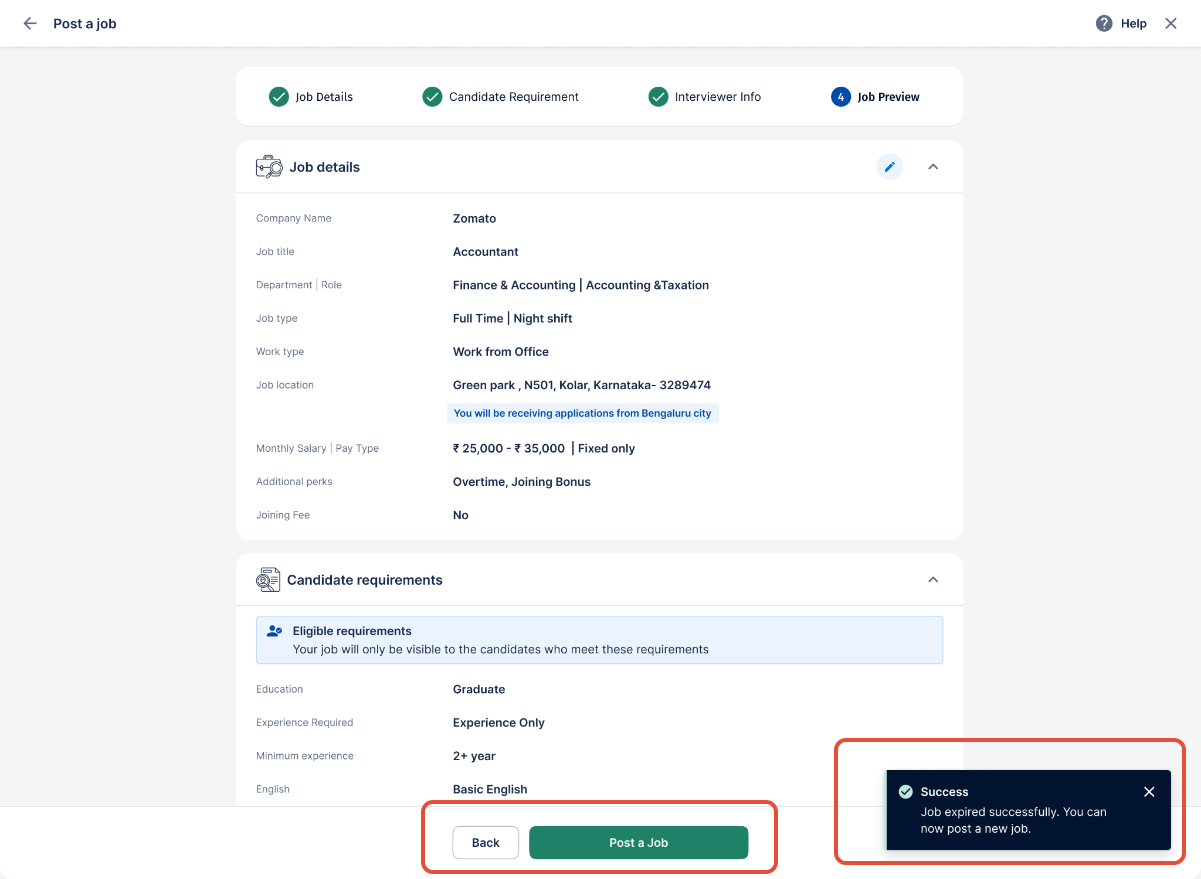
4. Preview the Job: After filling in all the necessary information, you will be redirected to the job preview page.
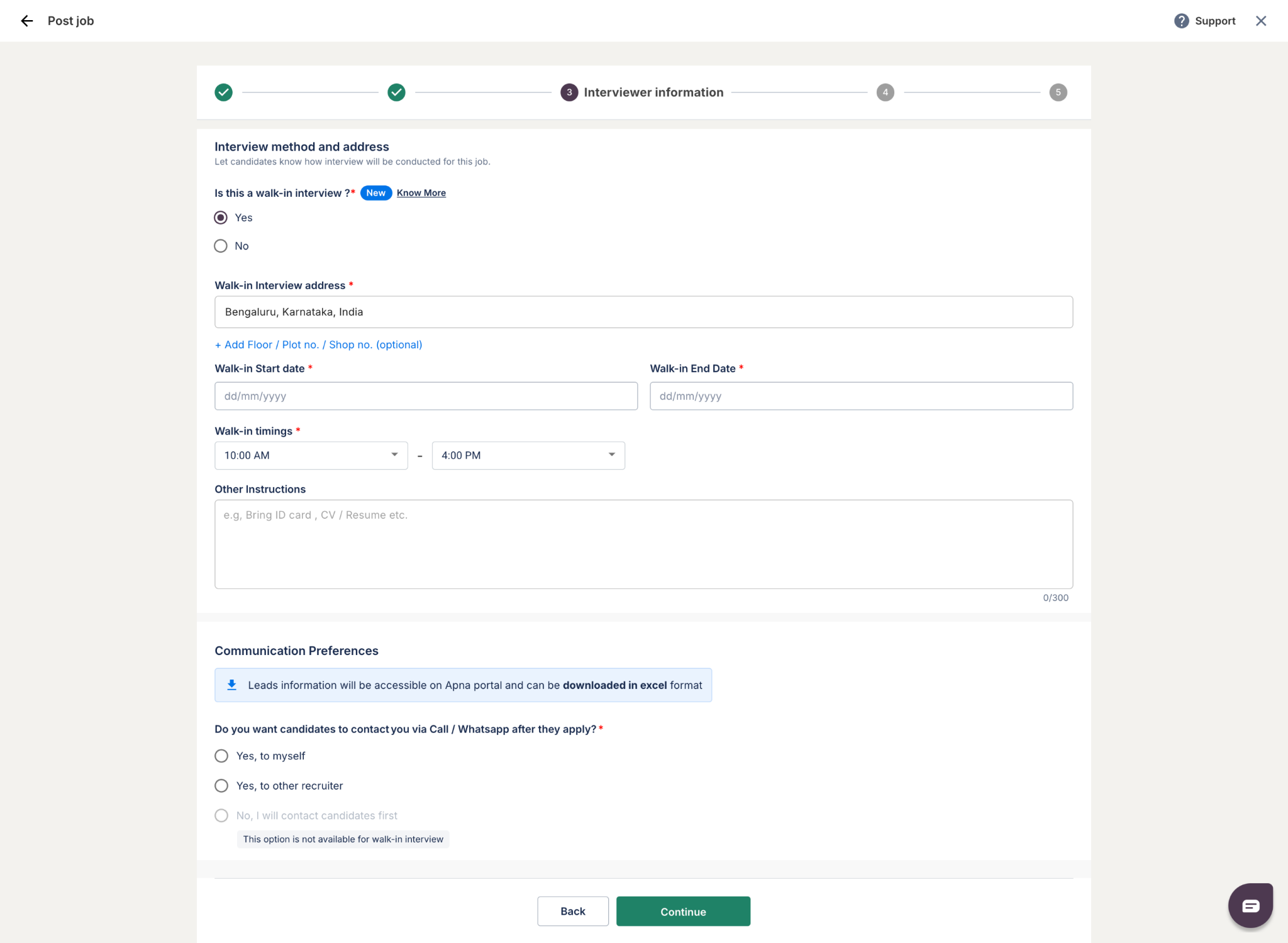
5. Finalize and Post: Review your job details, and once everything is correct, your job will be successfully posted.
Was this article helpful?
That’s Great!
Thank you for your feedback
Sorry! We couldn't be helpful
Thank you for your feedback
Feedback sent
We appreciate your effort and will try to fix the article